The OnlyFans downloader that finishes the files others give up on.
Protected video and multi-gigabyte posts, decrypted and written on your own machine through the session you are already signed into. DRM video on every paid plan; whole-profile backups on Pro and up.
Free to install. Protected video unlocks on Basic; whole-profile backups on Pro.
MaxResolution — never downscaled
10Surfaces one backup covers
2 GB+Big DRM files that still finish
0Passwords we ever see
What it saves
Everything you already paid for, as real files.
Not screen recordings and not previews — the original media, in your ordinary Downloads folder, named the way you asked.
Protected video, at full quality
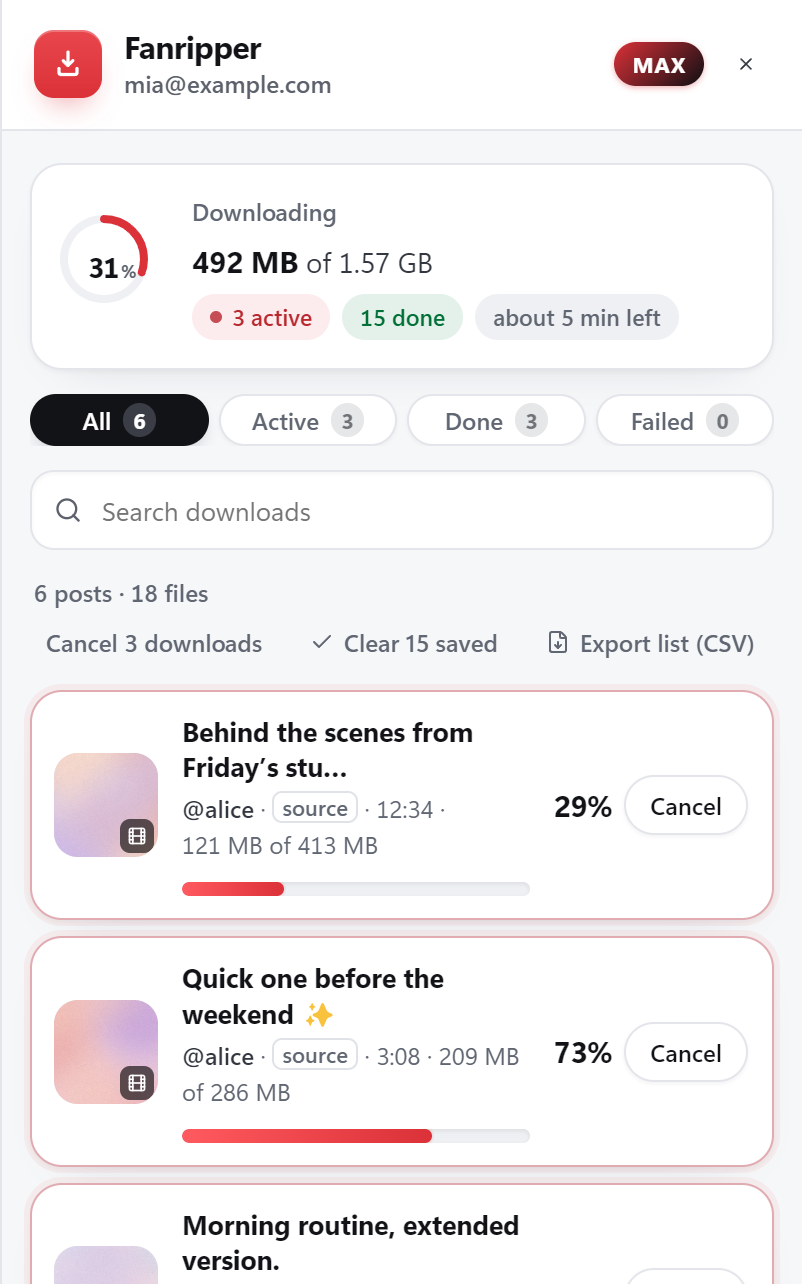
The DRM-protected posts and PPV that come back as an unplayable file everywhere else. Fanripper decrypts them on your own machine and always takes the highest rung the post actually carries — including HEVC. There is no resolution cap and no quiet downgrade.
A whole profile in one run
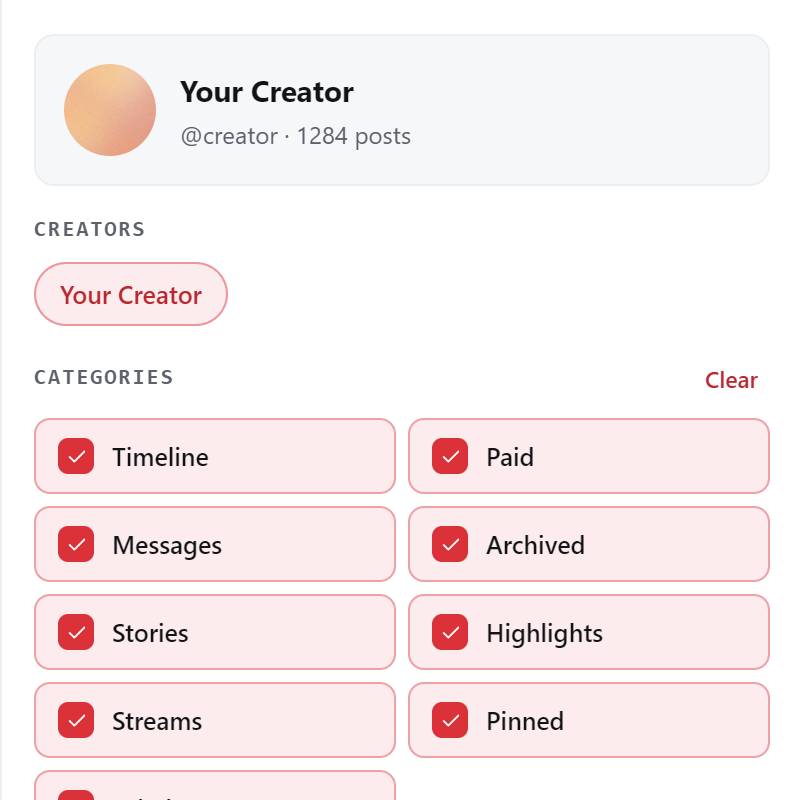
Ten surfaces in a single pass: the timeline, everything you paid for, DMs, stories, highlights, archived, streams, pinned and labels — plus your own Vault if you are a creator. Start it and walk away.
Photos at original resolution
The original file whenever the post carries one — never the feed thumbnail by choice — straight to your normal Downloads folder.
Filter before it starts
Narrow a backup to a date range, to videos or photos only, to paid or free, with or without DRM — so it only ever fetches the part you actually wanted.
Your filenames, your metadata
A filename template built from creator, date, title, quality and post id, and the creator, caption, post date, price and original link written inside the file itself — so a folder of MP4s is still readable a year from now.
Optional cloud backup
Send finished downloads on to Mega or Gofile, and link Telegram to browse the library from the bot. Cloud + Telegram add-on — $4/month, works on any plan including Free.
Coverage
One run, ten surfaces.
The things you paid for are scattered all over OnlyFans. A single backup walks the lot.
Timeline
The main feed, all the way back.
Paid & PPV
Everything you bought — including from creators who have since gone.
Messages
Media from your conversations.
Stories & highlights
Both, walked two levels deep.
Archived & streams
The posts that fall out of the normal feed.
Pinned & labels
Pinned posts, and any label the creator files under.
Your own Vault
If you are a creator, your Vault backs up too.
Avatars & covers
Saved from the fullscreen viewer with the same chip.
How it works
Three steps, then it just lives in your browser.
01
Install Fanripper, once
Download the file, unzip it, load it from your browser’s extensions page. No desktop app, no Python, no command line — and you only ever do this once.
02
Pick the plan that matches what you want
Protected video unlocks from Basic ($5/month). Whole-profile backups start at Pro ($8/month). Buy inside the extension — or from a phone, at app.fanripper.com — in crypto, no card, no KYC.
03
Open OnlyFans and save
Sign in as you normally would. A download button appears on the posts you can already see — click it for one post, or open the drawer to queue an entire creator.
On your phone
OnlyFans on your iPhone or Android.
OnlyFans is built into the Fanripper app: sign in to OnlyFans inside it, tap Save on a post or a DM, and protected PPV is decrypted on the phone itself. Same account and plan as the extension — the phone has its own device slot.
Protected PPV on Basic and up, decrypted on the phone
Whole-profile backup on Pro: timeline, paid, archived, streams and pinned
Lands in the app’s library — save to Photos or Files
Vault, DMs, stories and highlights aren’t part of a phone backup — the extension covers those. Keep about twice a video’s size free while it’s put together.
Runs inside Expo Go, a free app on the App Store and Google Play — no APK. It saves
one file at a time while it’s open on screen. Open it only from fanripper.com/app.
Plans
OnlyFans is on every paid plan.
What changes between them is how much you can do at once — protected video from Basic, whole-profile backups from Pro, and every other site on Max and Lifetime.
Three limits worth knowing up front. Fanripper cannot download PPV you have not purchased — a locked post opens the paywall instead. On protected video the quality picker always gives you the top rendition, so you cannot deliberately choose a smaller file there. And a bulk run can back up your own Vault, but never another creator’s — OnlyFans gives no way to reach it.
Two smaller things: if you buy a PPV while the page is already open, refresh before the download button appears on it. And Fanripper does not silently update itself — it tells you when a new version ships and updating is a 15-second re-load that keeps your settings and login.
FAQ
OnlyFans, answered.
Want the long version on how protected video actually works? Read the DRM guide
Can Fanripper download DRM-protected OnlyFans videos?
Yes. Protected video is the case Fanripper was built for — it is decrypted on your own device and written out as an ordinary MP4. It always takes the highest resolution the post carries, HEVC included, and there is no size limit: multi-gigabyte files that stall or crash other tools finish here because the file is streamed to disk instead of held in memory.
What quality do I get?
The best one available. On protected video Fanripper always delivers the top rendition in the post’s manifest — it will not hand you a downscaled copy. On unprotected video you can pick a specific rung if you would rather have a smaller file.
Which plan do I need?
Protected video downloads unlock on Basic ($5/month) and above. Whole-profile bulk backups need Pro ($8/month) or above. Max ($15/month) and Lifetime ($99 once) add JustForFans, privacy.com.br and Fanfix on top, plus every new site we add.
Can I download PPV I haven’t bought?
No, and that is deliberate. Fanripper only saves what your account can already open. It makes a personal copy of content you have lawful, paid access to — it does not bypass a paywall.
Does Fanripper ever see my OnlyFans password?
No. It works through the session already open in your browser. We never ask for, see or store your platform credentials, and your media is processed on your own device rather than passing through our servers.
Will it get my account banned?
Fanripper paces its requests like a person browsing rather than hammering the site, and it only ever requests what your account is already entitled to see. No tool that talks to a site it does not control can promise you an outcome, so we will not — but human-paced requests are the reason it behaves like an ordinary session.
Where do the files go?
Your normal Downloads folder, named by a template you control. A bulk run also sorts into per-creator and per-surface folders so a big backup does not land as one flat pile.
Keep the OnlyFans library you paid for.
Install free, unlock the plan that fits, and start saving in full quality — on your own device, without ever handing over a password.