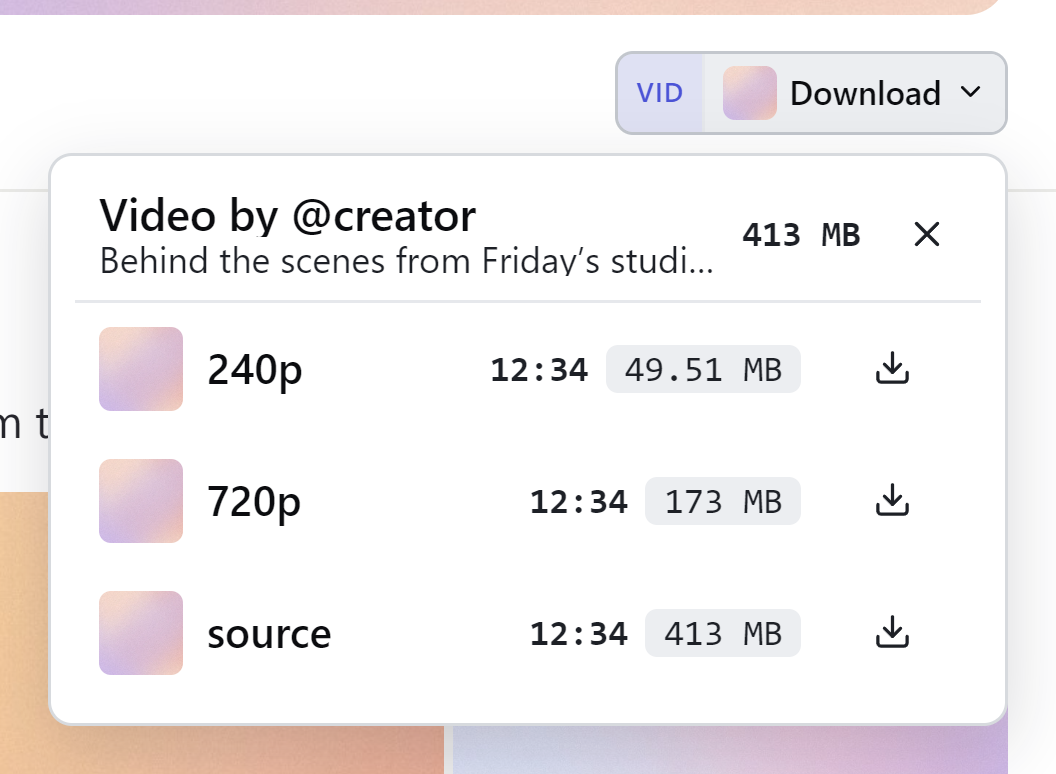
Unlock DRM video — at any size
Pay-per-view and protected clips save in full quality at any size — the files that stall or crash every other extension. No browser flags, no size limit, no “export failed”.
Start free — unlimited photos and videos from any creator you subscribe to, with just your email and no card. Upgrade to add protected video and whole-profile backups, all processed on your own device.
~60-second setup · not in the Web Store — signed, installs once, tells you when to update
iPhone & Android · runs in Expo Go, free on the App Store & Google Play — no APK
Independently scanned — 0 / 63 clean on VirusTotal. see the VirusTotal report
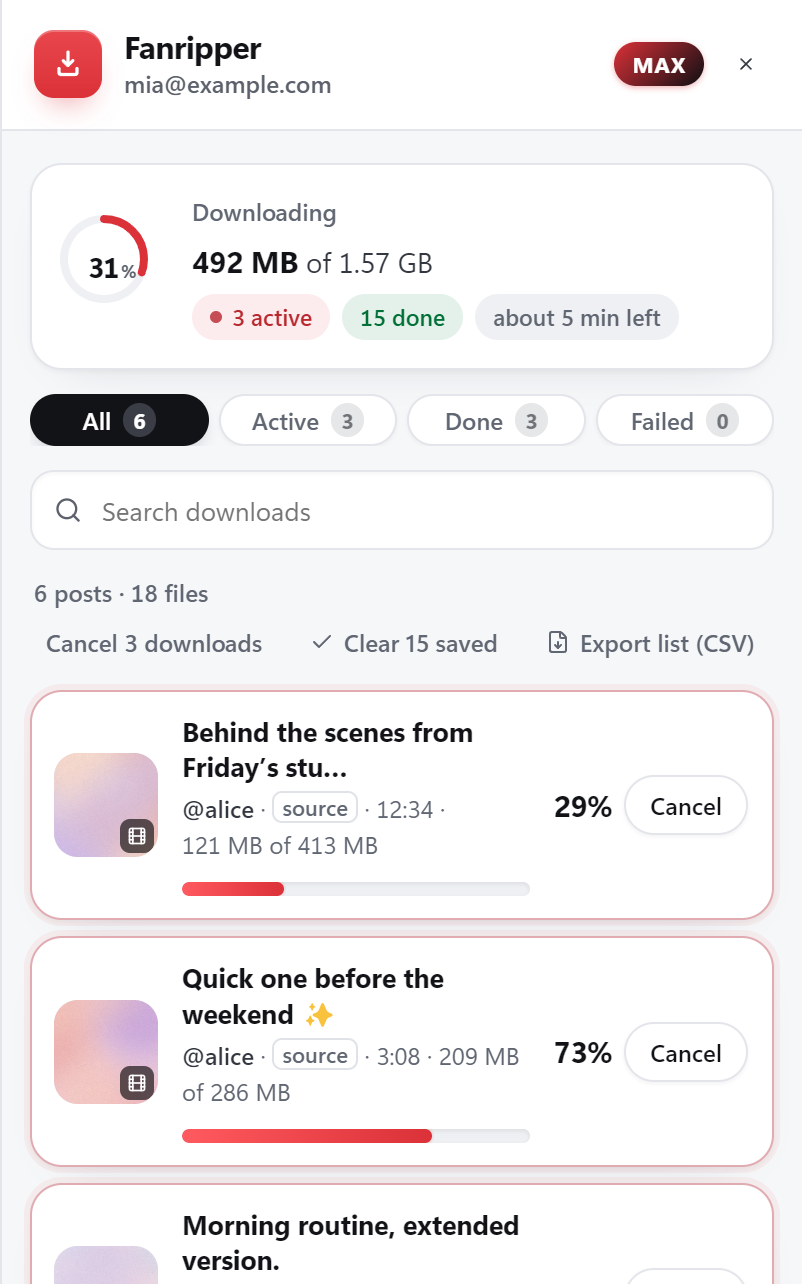

Every figure describes what the tool does — not a usage statistic.
Right-click a photo and “Save image” still works. Right-click a video and it won’t — OnlyFans streams video in pieces a player reassembles on the fly, not a single file you can grab. Paid pay-per-view clips go a step further and arrive encrypted, unlocking only for playback inside the page.
It’s not an accident. Every request the site handles — even a thumbnail — is tied to your logged-in session and signed to prove it’s really you. Paste a video URL into a generic downloader and it gets refused; the tool was never logged in as you in the first place.
Fanripper runs the other way: it works inside the page where you’re already signed in — a browser tab on your computer, or the app’s built-in browser on your phone — so it’s trusted the same way you are. Photos, videos and GIFs save free and unlimited; protected pay-per-view video unlocks on a paid plan — every file lands on your device as a real, playable file, not a stream.
Keeping what you’re already paying for, in case a creator leaves or a subscription lapses.
Building a private library that doesn’t depend on an app, a login, or a connection.
No terminal, no config files — install once, then it’s just a button on the page.
Backing up a whole creator’s page in one run instead of saving hundreds of posts by hand.
Download the file, unzip it, and load it from your browser’s extensions page. You only ever do this once. On a phone, get the free Expo Go app and open Fanripper from fanripper.com/app instead.
Open OnlyFans, Fansly, JustForFans, privacy.com.br or Fanfix and scroll. Fanripper quietly adds a save button to the content you can already see.

Hit download. Photos, videos and protected clips save straight to your device — full quality, neatly named.
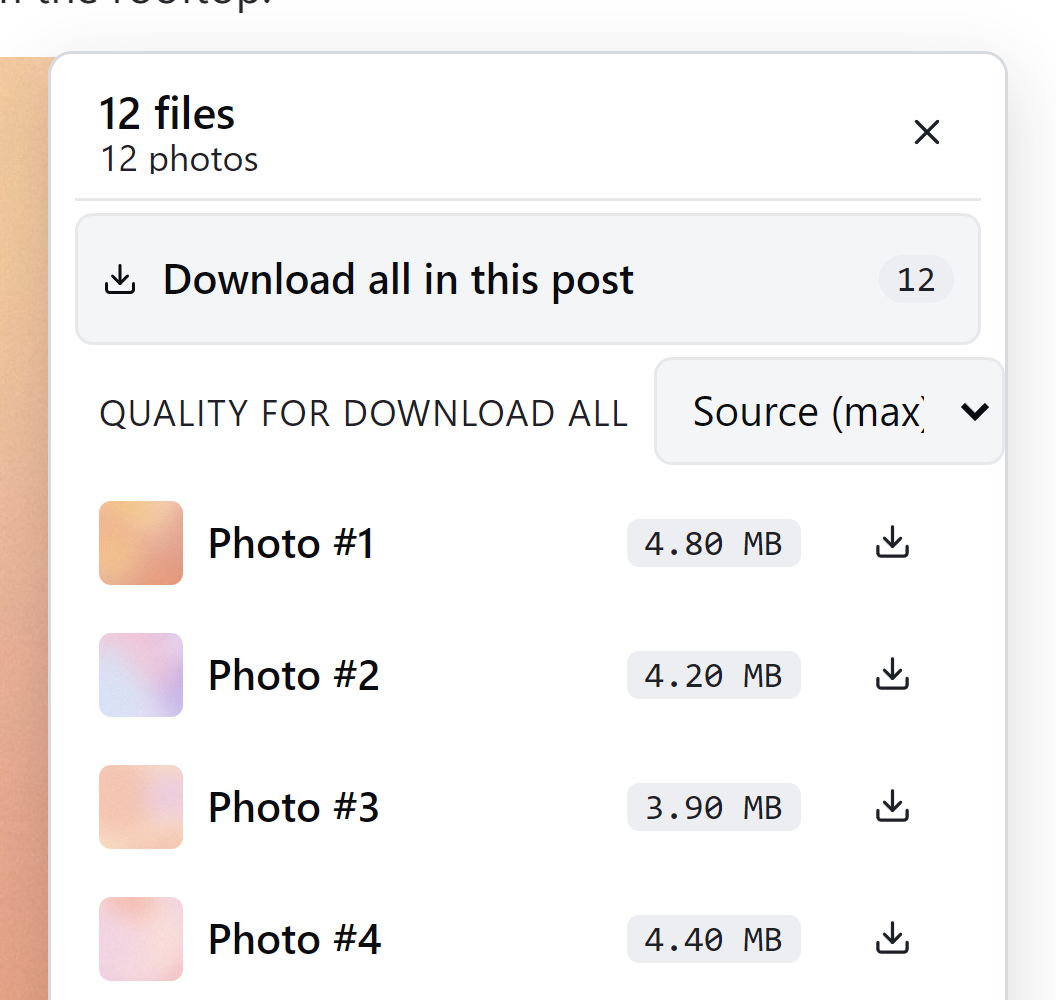
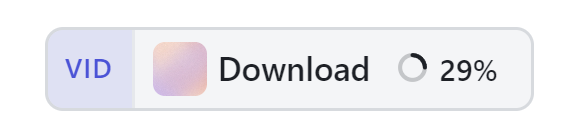
A download button sits on the photo or video itself — click it, done.
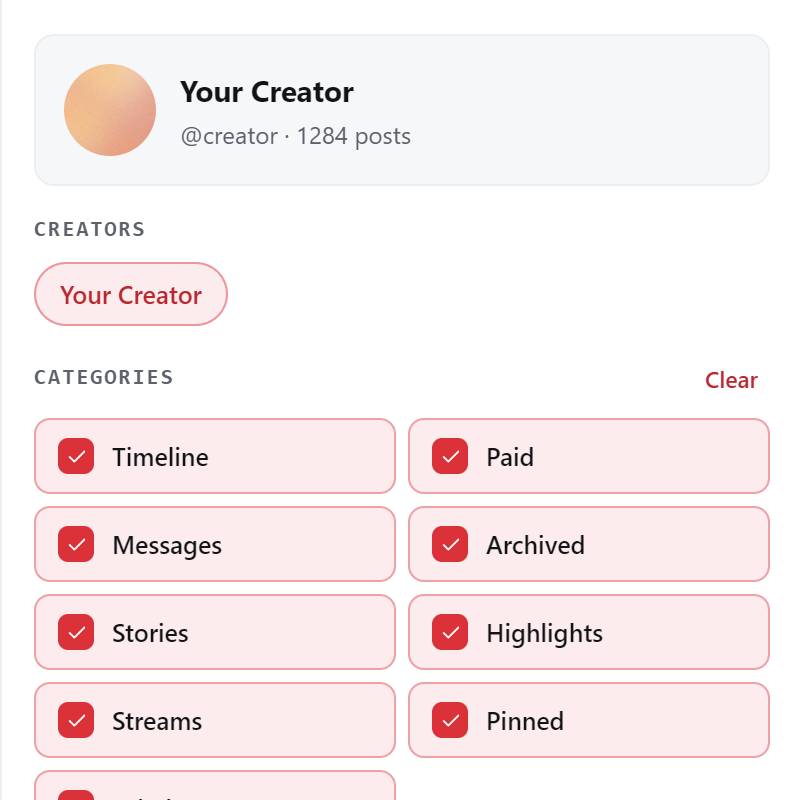
Point it at a creator and it crawls every post automatically — no scrolling, no “load more.”
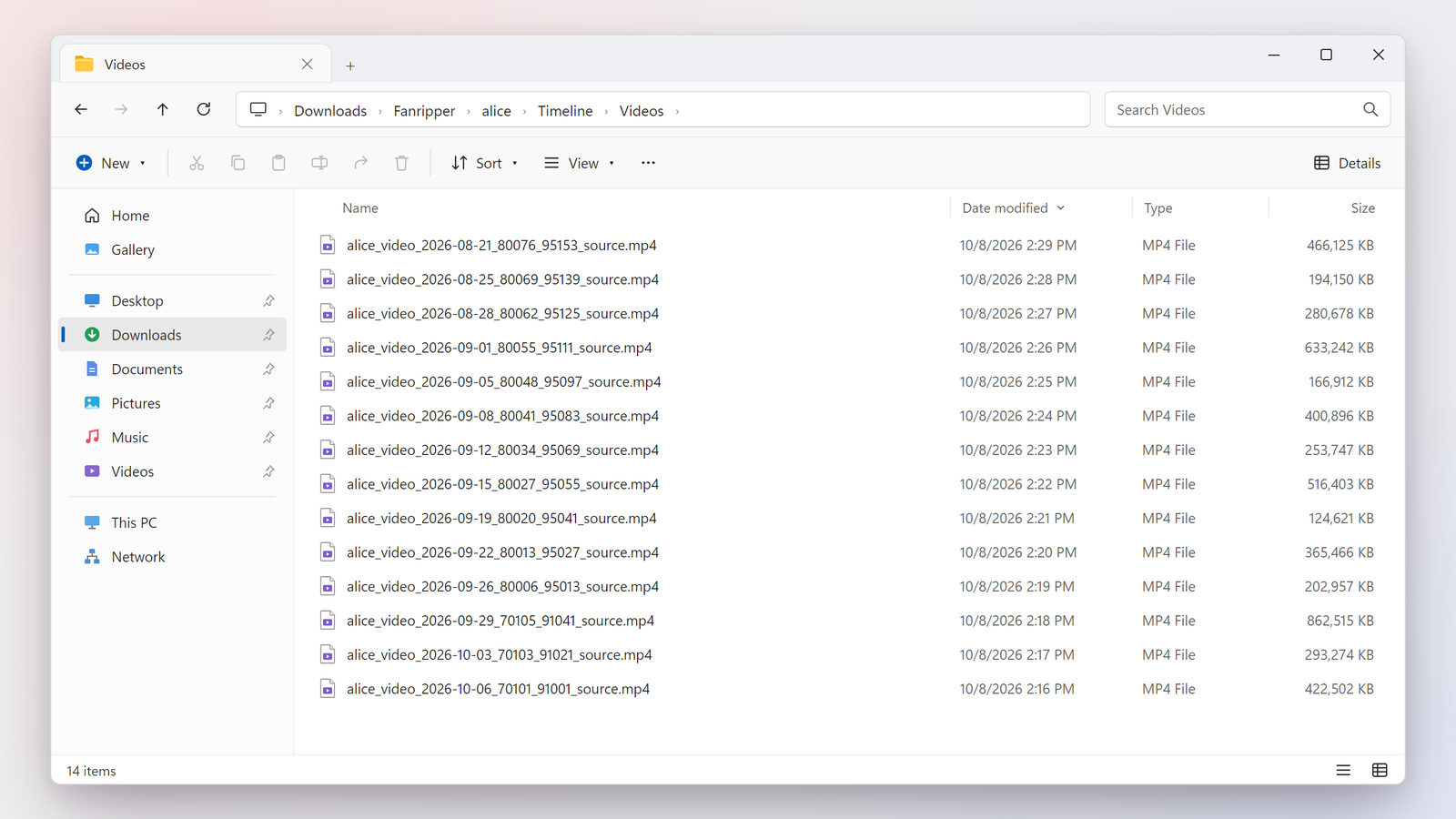
Bulk downloads land in their own folder per creator — no manual sorting after.
This page, a whole profile, everything you follow, or your Vault — pick one, from the same panel.
Live progress and a time-left estimate for every file, plus cancel anytime.
PPV and DRM-protected clips decrypt and save cleanly on paid plans — no stalled files.
On a computer it’s one browser extension. On iPhone and Android it’s the Fanripper app, opened in the free Expo Go app. No Python, no FFmpeg, nothing to set up.
Fast where it counts, private by design, and careful with the thing that matters most — your access. See exactly what the OnlyFans downloader saves, or compare all five sites side by side. New to this? Our honest guide to the OnlyFans video downloader explains how DRM works and what makes a tool safe.
Pay-per-view and protected clips save in full quality at any size — the files that stall or crash every other extension. No browser flags, no size limit, no “export failed”.
Queue an entire creator — every post, all your paid PPV and the Vault on OnlyFans; the whole timeline on Fansly; the full feed and your purchased library on JustForFans — then walk away. No scrolling to “load more”, no babysitting the page. It crawls the lot while you do something else.
The save button shows up everywhere the content lives — feed and direct messages on OnlyFans, Fansly and JustForFans, plus the Vault on OnlyFans. Most tools never even reach the DMs, where the real premium content hides.
Fanripper reveals the true runtime of a locked pay-per-view video — so you never buy a ten-second clip that was sold to you as an hour.
Creator, caption, PPV price and the original post date are written into each file’s own metadata — so your library stays searchable and self-describing for years, in any player.
Every backup also lands in your own private Telegram channel automatically — a copy on every phone the moment it’s saved, with the creator and price right in the message. Part of the optional Cloud + Telegram add-on.
Optional cloud backup sends files straight from your browser to your own Mega or Gofile storage. The extension makes those accounts for you and adds more as you fill up — no signup, and you never run out of space. (Cloud add-on.)
Reinstall, switch computers, or lose the extension entirely — sign back in and your whole backup library comes back, links and all.
Our fourth site. privacy.com.br encrypts its streams, so Fanripper decrypts and remuxes a clean, playable MP4 right on your machine — at the post’s best rendition, with no cap on our side. Photos save too, and on a single video you can pick a smaller rung. Back up a whole profile, or just one collection: My Purchases, Favorites, Chat Purchases, Hidden or Tips. Included on Max and Lifetime.
Media is processed on your own device — in your browser, or in the app on your phone — and never passes through our servers. No password, no analytics, and every download is paced to look like ordinary browsing.
No setup, no exporting, no waiting. A save button appears right where you’re already looking — the rest happens on your machine.
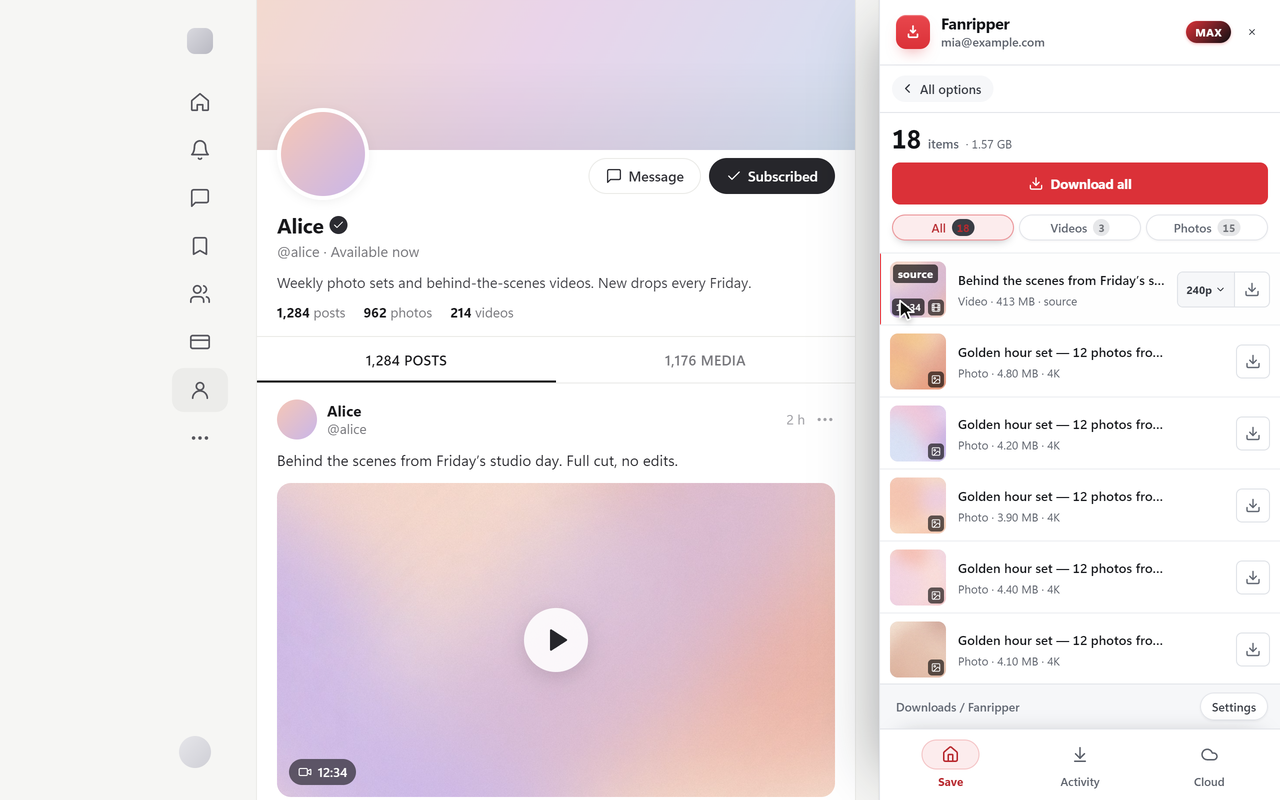
OnlyFans shows you a blurred lock and a price — nothing else. Fanripper reads the post and lays out the receipt: how many photos and videos, every clip’s real resolution, and its exact length — right on the locked message, before you spend a cent.
Fanripper scales from the post in front of you to a creator’s whole profile, every subscription you have, or your own Vault — the same one click, processed on your device.
Your phone saves too — same account, same plan.
A backup tool can see your logged-in account — that’s a lot of trust to hand over. Here’s exactly how Fanripper earns it, and the warning signs to look for everywhere else.
0 / 63 clean on VirusTotal. Uploaded to VirusTotal and checked by 63 antivirus engines — not one flags it as harmful.
see the VirusTotal reportBuilt so there’s nothing to flag.
No scraping, no bulk hammering, and zero extra data sent to the platform — just the posts you’re already viewing, at human speed.
On your machine, under your control.
If you see these, walk away.
Rule of thumb: if a tool wants your password or runs on its own servers, your account is the product.
OnlyFans gives you no way to bulk-export your own work — and a ban, a hack, or a closed account can wipe years of it. Fanripper saves your whole Vault to your own drive in a single run.
Your work, your copyright. Backing up your own Vault isn’t a gray area — it’s just sensible.
Every photo, video and PPV you’ve ever uploaded — pulled from your Vault and paced automatically.
A complete offline master copy you control. If your account ever vanishes, your content doesn’t.
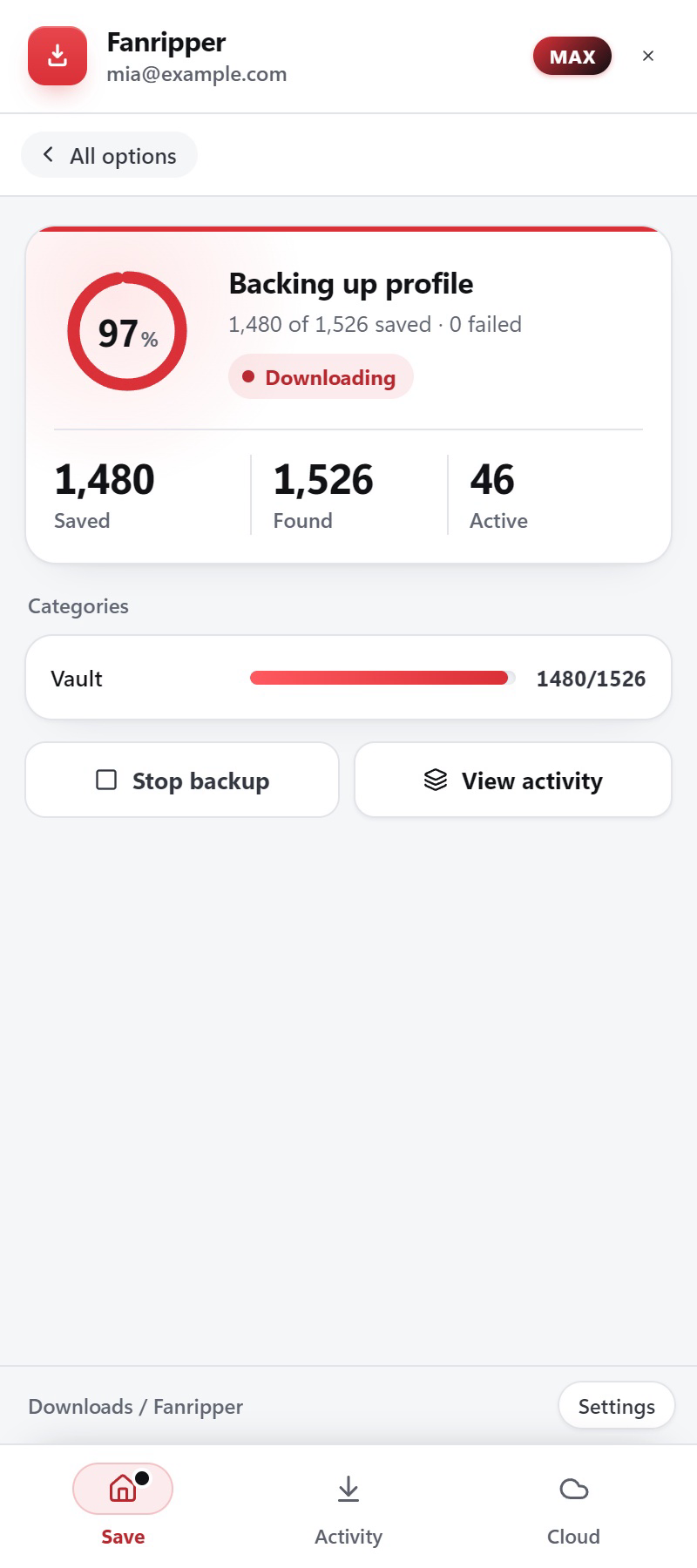
Add it on and every download also drops into your own cloud locker and your Telegram — automatically. And you don’t even make the accounts: the extension creates your Mega & Gofile lockers for you and grows them as you fill up.
$4 / month or $40 / year
Browser → your locker · never our servers · nothing auto-renews
Optional add-on to any plan, including Free — $4/mo or $40/year.
Uploads go browser → your locker, straight from your computer.
No Mega or Gofile signup, no logins to juggle. The extension creates your lockers automatically and spins up fresh ones the moment they fill — so your space is effectively endless and you never lift a finger.
Files upload browser-direct to your own Mega or Gofile locker. Mega is built for bulk runs; Gofile is great for quick single files.
Every backup also drops into your own private Telegram channel automatically — a copy on every phone, instantly, with the creator, caption and price right in the message.
Reinstall or switch computers, sign back in, and your whole library restores — lockers, links and all. We keep only an encrypted index; your media lives only in your locker.
The paid extensions charge more and still choke on big files. The free ones barely manage the basics. Here’s the same job, three tools — and if you’re weighing every option, our roundup of the best OnlyFans downloader tools breaks down each category honestly — and if JustForFans is your platform, the JustForFans downloader page covers it in full.
| Feature | Fanripper | Other paid extensions | Free downloaders |
|---|---|---|---|
| Core capability | |||
| DRM-protected video, any size | Yes Any size, full quality | No stalls on large files | No not supported |
| Whole-profile auto-crawl | Yes one click — posts, PPV, Vault | No manual scroll, loaded media only | No timeline only, manual |
| Posts · DMs on all 3 sites · Vault on OnlyFans | Yes all three | No partial | No feed only |
| See a PPV’s true length first | Yes before you pay | No not offered | No not offered |
| OnlyFans, Fansly, JustForFans, privacy.com.br & Fanfix | Yes all five | No OnlyFans only, usually | No OnlyFans only |
| privacy.com.br — full-quality video, photos & profile backup | Yes Max & Lifetime | No not supported | No not supported |
| Speed & reliability | |||
| Fast parallel download engine | Yes many at once | No one at a time | No one at a time |
| Resume after a crash | Yes automatic | No partial | No starts over |
| Cloud + delivery | |||
| Cloud backup to your own locker | Yes unlimited | No not offered | No not offered |
| Cloud accounts made for you | Yes auto Mega + Gofile | No not offered | No not offered |
| Auto-deliver to Telegram | Yes your private channel | No not offered | No not offered |
| Restore on a new device | Yes whole library | No not offered | No not offered |
| Metadata baked into the file | Yes creator · price · date | No not offered | No not offered |
| Ask a bot about any backup | Yes paste a link → full card | No not offered | No not offered |
| Trust & pricing | |||
| Runs 100% on your device | Yes always | No often “cloud” | Yes usually |
| Never asks your password | Yes never | No varies | No varies |
| Stays installable · tells you when to update | Yes signed, tells you when to update | No varies | No pulled from stores |
| Pay once for life | Yes $99 lifetime | No subscription only | No — |
| Pay in crypto · no KYC | Yes USDT · BTC · ETH | No card only | No — |
And Fanripper costs less than the paid extensions above — with a pay-once lifetime option none of them offer.
Start free with unlimited photos and standard video — forever. A few dollars unlocks DRM video, whole-profile bulk and the full engine — and you can buy it once, for life, which no other tool offers. One plan covers your computer and your phone. Pay with crypto, card, Apple Pay, Google Pay or a gift card — nothing renews by itself.
Free & monthly plans
Unlock protected video.
Regular price $6 now $5 / month
You’ll complete purchase inside the extension.
Sign in with your email code, then License → Upgrade. Your plan reaches the app by itself.
The full OnlyFans & Fansly toolkit.
Regular price $10 now $8 / month
You’ll complete purchase inside the extension.
Sign in with your email code, then License → Upgrade. Your plan reaches the app by itself.
Prefer to prepay? Get Unlimited for $40/6 months (best value).
Every site, one plan.
Regular price $20 now $15 / month
You’ll complete purchase inside the extension.
Sign in with your email code, then License → Upgrade. Your plan reaches the app by itself.
Buy once. Yours for good.
Regular price $129 now $99 once
You’ll complete purchase inside the extension.
Sign in with your email code, then License → Upgrade. Your plan reaches the app by itself.
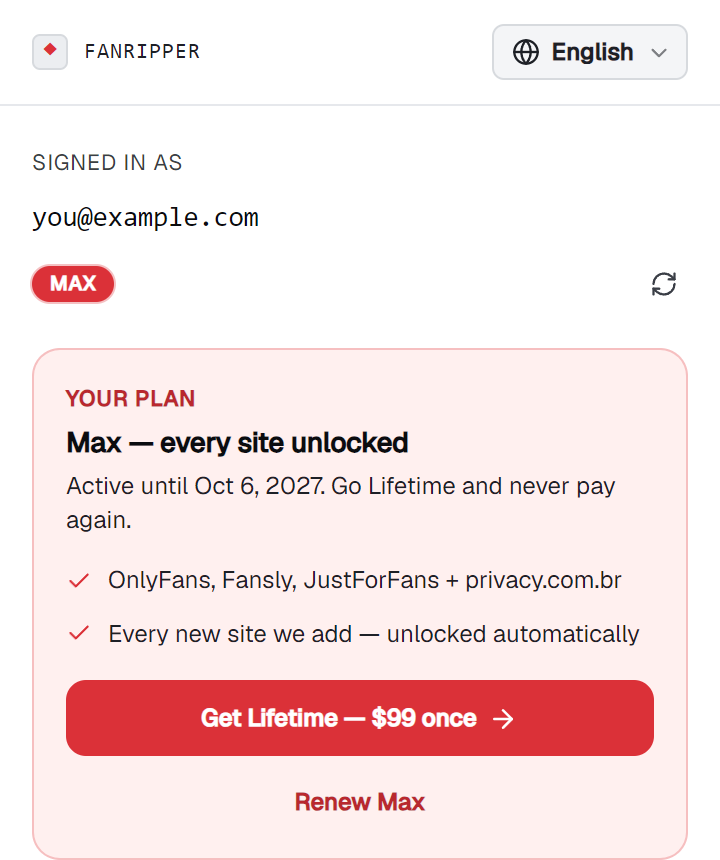
One payment for every site — including JustForFans, privacy.com.br and Fanfix, plus each new one we add — yours forever.
Changed your mind? Email billing@fanripper.com within 7 days for a refund — after that, crypto payments are final.
Every plan covers one computer and one phone, side by side — monthly Max covers two of each. Signing in on your phone never signs out your computer.
Pay in crypto (USDT, BTC, ETH, USDC), by card, Apple Pay or Google Pay through Telegram Stars, or with a Binance gift card — no KYC. Purchases happen inside the extension. From a phone, buy at app.fanripper.com — the app has no in-app purchase.
The honest version — what it does, what it never asks for, and how the money works.
Still stuck? Email billing@fanripper.com
Yes — that’s the whole point. Fanripper runs on your own device — in your browser, or in the app on your phone — and never asks for your password. Your content and login session stay on your device: there’s no server storing your media and no account for anyone to breach.
Fanripper doesn’t scrape or hammer the platform. It simply saves the posts and messages you’re already looking at, at normal human speed, entirely on your own device — so there’s no bulk-download footprint and nothing extra is sent to the platform. To the site, it looks identical to you browsing normally.
Never. Fanripper works through the session you’re already logged into in your own browser. We never see, store, or ask for your platform credentials.
We can’t give you a blanket yes. Fanripper only makes a personal backup of content you’ve already paid for — but whether that’s allowed comes down to each platform’s terms of service and your local law, and both are your responsibility.
Yes. It runs inside Expo Go, a free app on the App Store and Google Play. Install Expo Go, open fanripper.com/app on your phone and tap Open Fanripper (or scan the code from your computer), then sign in with your email. Save from OnlyFans, Fansly, JustForFans, privacy.com.br and Fanfix right on the phone.
App stores remove apps that download from subscription sites. Expo Go is a free app from the App Store and Google Play, so there’s nothing to sideload and no APK, and new versions arrive by themselves the next time you open it. Only ever open Fanripper from fanripper.com/app.
Yes, on Basic and up, same as the extension. The video is downloaded and decrypted on your phone and never passes through our servers. Keep about twice its size free.
No. Phones only let it work while Fanripper is open and on screen. The screen stays awake while it downloads; switch apps or lock the phone and downloads pause, then continue where they stopped when you come back.
Into Fanripper’s own library, sorted by creator. One tap saves a file to Photos (or turn on automatic saving), and Share → Save to Files puts it anywhere else. On Android you can pick a folder once and every new save is copied there. Files stay inside the app until you save them out, and removing Expo Go removes them, so save anything you want to keep.
No. Phones have their own device slot, so the app and the extension work side by side on one account and plan: one phone and one computer on most plans, two of each on monthly Max.
Both — plus GIFs. Photos and standard video are free and unlimited, from posts and DMs, on OnlyFans and Fansly. Protected pay-per-view video downloads too, once you’re on a paid plan — and JustForFans (every file), privacy.com.br (full-quality video, and photos) and Fanfix (photos, videos, audio and documents, as the original files) come with Max and Lifetime.
Yes — the videos you already have access to as a paying subscriber or buyer. OnlyFans has no built-in save button, so a local tool like Fanripper saves a real file of the video your paid session can already play. Standard clips download directly; DRM-protected pay-per-view is decrypted on your device first, so you get a normal, playable file either way. It never unlocks anything you haven’t paid for.
Yes — Fanripper saves what you already have access to as a subscriber or buyer. It doesn’t unlock paywalled content you haven’t paid for; it just gives you a copy of what OnlyFans already shows you.
Yes — privacy.com.br is the fourth site Fanripper supports. The site sends its video encrypted, so Fanripper decrypts it and remuxes a clean, playable MP4 on your own machine, at the post’s best rendition — there is no cap on our side, so 1080p comes down as 1080p. Photos save too, and on a single video the picker lets you deliberately take a smaller rung. You can back up a whole profile, or just one collection: My Purchases, Favorites, Chat Purchases, Hidden or Tips.
Max ($15/month) or Lifetime ($99 once). privacy.com.br is not part of Free, Basic or Pro — those cover OnlyFans and Fansly. Max and Lifetime add JustForFans, privacy.com.br and Fanfix, plus every new site we add.
Yes, on Max and Lifetime, in the browser extension and the iPhone & Android app. Fanripper saves the files Fanfix keeps — photos, videos with sound, audio and documents — from creator profiles, posts, your chats and your purchases Gallery, one at a time or a whole creator, chat or Gallery in one run. Posts you haven’t unlocked and live streams in progress aren’t saved.
Both. Point Fanripper at a creator and it backs the profile up in one run — or narrow it first, to videos only or paid only, using privacy.com.br’s own server-side filters so it only fetches what you asked for. Duration, quality and the rest of the metadata land in the catalog, and you can name the files with your own template.
No — and this is where Fanripper pulls ahead. Other extensions stall or fail on large videos, or make you flip on hidden browser flags. Fanripper saves videos of any size cleanly, with no flags and no crashing.
Photos and standard video, from posts and DMs, in full quality — as many as you like, at any size. There’s no file-size cap and no download limit. The one thing free doesn’t do is DRM-protected PPV video; that’s what Basic ($5/mo) unlocks.
No — neither. Free is uncapped on both size and count: one huge file or a whole library, all free. The only thing free doesn’t unlock is DRM-protected video — that’s what the paid plans are for.
Yes, on Basic ($5/mo) or higher. Those clips are encrypted, which is why free-tier tools and most generic downloaders skip them — Fanripper decrypts and saves them at full quality, at any size.
Both. Free and Basic save whatever you’re looking at, one post at a time. Pro adds a whole-profile crawl that grabs every post, all your paid PPV, and the Vault in a single run — sorted into folders automatically.
Your plan never limits it. Cloud is an optional $4/mo add-on that saves to your own Mega storage. The extension makes the Mega accounts for you — each one holds about 20 GB, so when one fills up it just makes another and keeps saving. You never run out, and you never set anything up. Gofile is offered too, best for one-off single files.
Telegram delivery comes with the Cloud add-on and happens on its own once a file is saved — a copy lands in your own private Telegram channel. You can’t use Telegram by itself instead of the cloud, and that’s on purpose: to send straight to Telegram we’d have to either run your files through our servers or put Telegram logins inside the extension, and we won’t do either. Telegram also limits very large files, so your cloud storage is what holds the biggest ones.
On a computer, straight to your browser’s normal Downloads folder, named so they’re easy to find later. They stay on your device by default — unless you turn on the optional Cloud Backups add-on, which also copies them browser-direct to your own cloud locker. In the phone app they land in Fanripper’s own library, and you save them out to Photos or Files.
An optional $4/month add-on. With it on, every download is also copied — straight from your browser — to your own cloud locker (Mega or Gofile), so you get an off-device backup and a shareable link for any file. It’s off by default; leave it off and nothing ever leaves your device.
To your own Mega or Gofile locker, uploaded straight from your browser. New lockers are created automatically as you fill them, so storage is effectively unlimited. Mega suits bulk runs; Gofile is great for single files.
Yes. Cloud Backups keeps an encrypted record of your lockers, so you can sign in on a new device and restore your whole backup library — links and all. That record is the only thing we hold, and it’s encrypted; your media itself only ever lives in your locker.
Make sure you’re logged into OnlyFans, Fansly, JustForFans, privacy.com.br or Fanfix and refresh the page. If it’s still missing, disable any other downloader extensions that might be conflicting, then reload. On privacy.com.br the chips need an active Max or Lifetime plan, and so do Fanfix saves.
No Python, no FFmpeg, no command line and no config file to edit. On a computer Fanripper is a single browser extension, and everything happens on the page you’re already viewing. On a phone it runs inside Expo Go, a free app from the App Store and Google Play — install that, then open Fanripper from fanripper.com/app.
Join our Telegram, @fanripper, for live help, updates and the community — or email billing@fanripper.com. We’re responsive.
Stores remove extensions that interact with subscription-content platforms. Fanripper ships as a signed build you install once in developer mode. It doesn’t update itself: when a new version ships, the extension tells you, and updating is a quick re-load that keeps your settings and sign-in. (The phone app is different — its updates arrive by themselves.)
Free covers unlimited standard downloads. Paid plans unlock protected video and bulk tools and you pay with crypto (USDT, BTC, ETH, USDC), by card, Apple Pay or Google Pay through Telegram Stars, or with a Binance gift card — no KYC — and nothing renews by itself. On a computer you buy inside the extension; from a phone, at app.fanripper.com or in our Telegram bot, @fanripperbot. The app itself has no in-app purchase: sign in with the same email and your plan is already there.
Within 7 days of purchase, email billing@fanripper.com. After that, sales are final, since crypto payments are irreversible. Lifetime plans carry a migration guarantee if we ever discontinue — see the Terms.
Free to install, free to try. Your content, saved on your own device.